SCAPE MMO

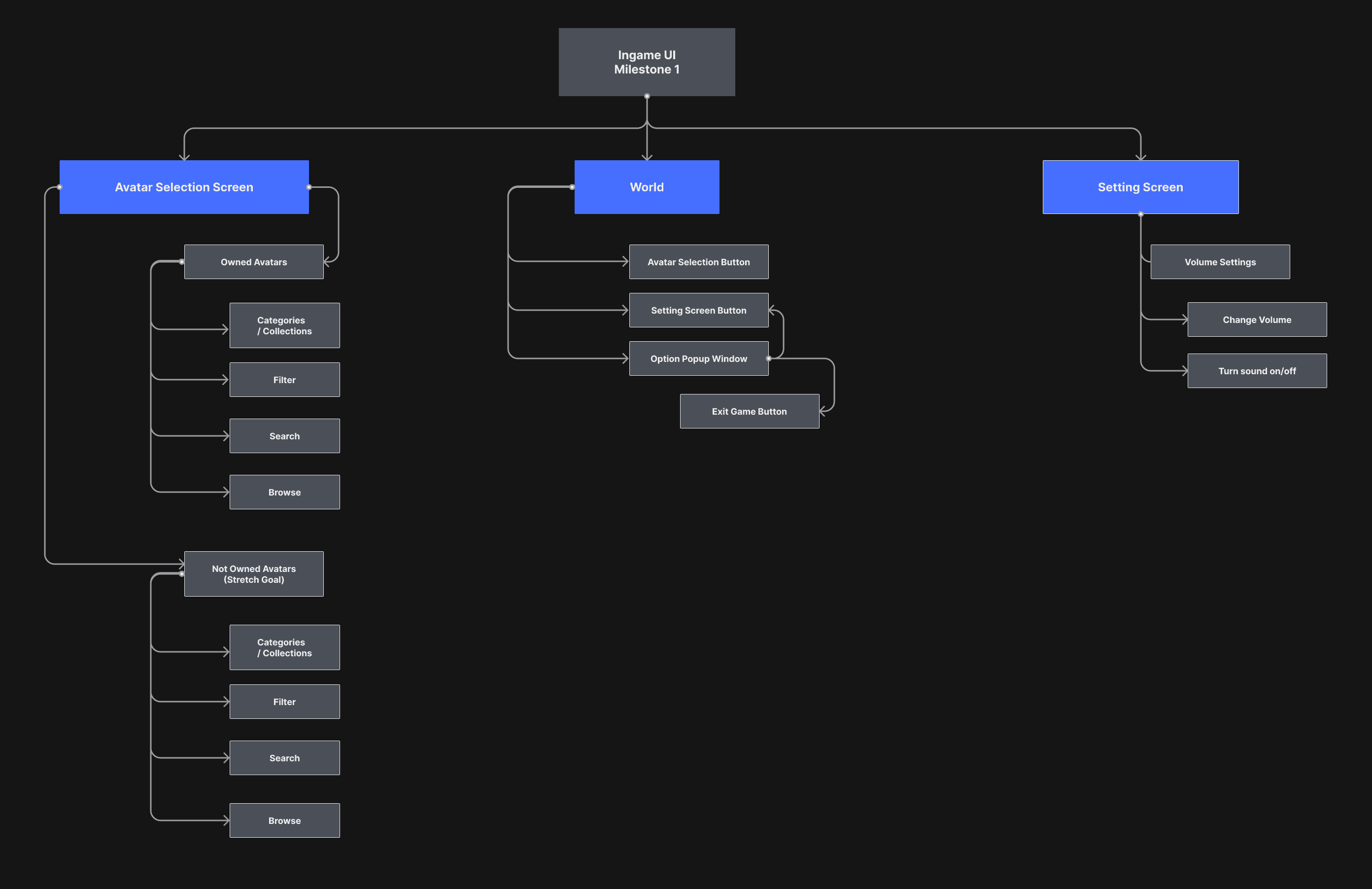
While working at Ringtail Interactive I was responsible for owning the User Experience for their upcoming UGC MMO. I helped define MVP features, developed wireframes, and created interactive prototypes to test user flows, along with sitemaps.


It was a close collaboration across disciplines, and UX acted as a bridge between teams to streamline communication and ensure alignment.

Throughout this project I was the main point of contact for everything related to the UX, therefore I took part in sprint planning and task time estimates together with other Leads.

Role

Product Design, Design Systems

Overview

Features I owned the User Experience on

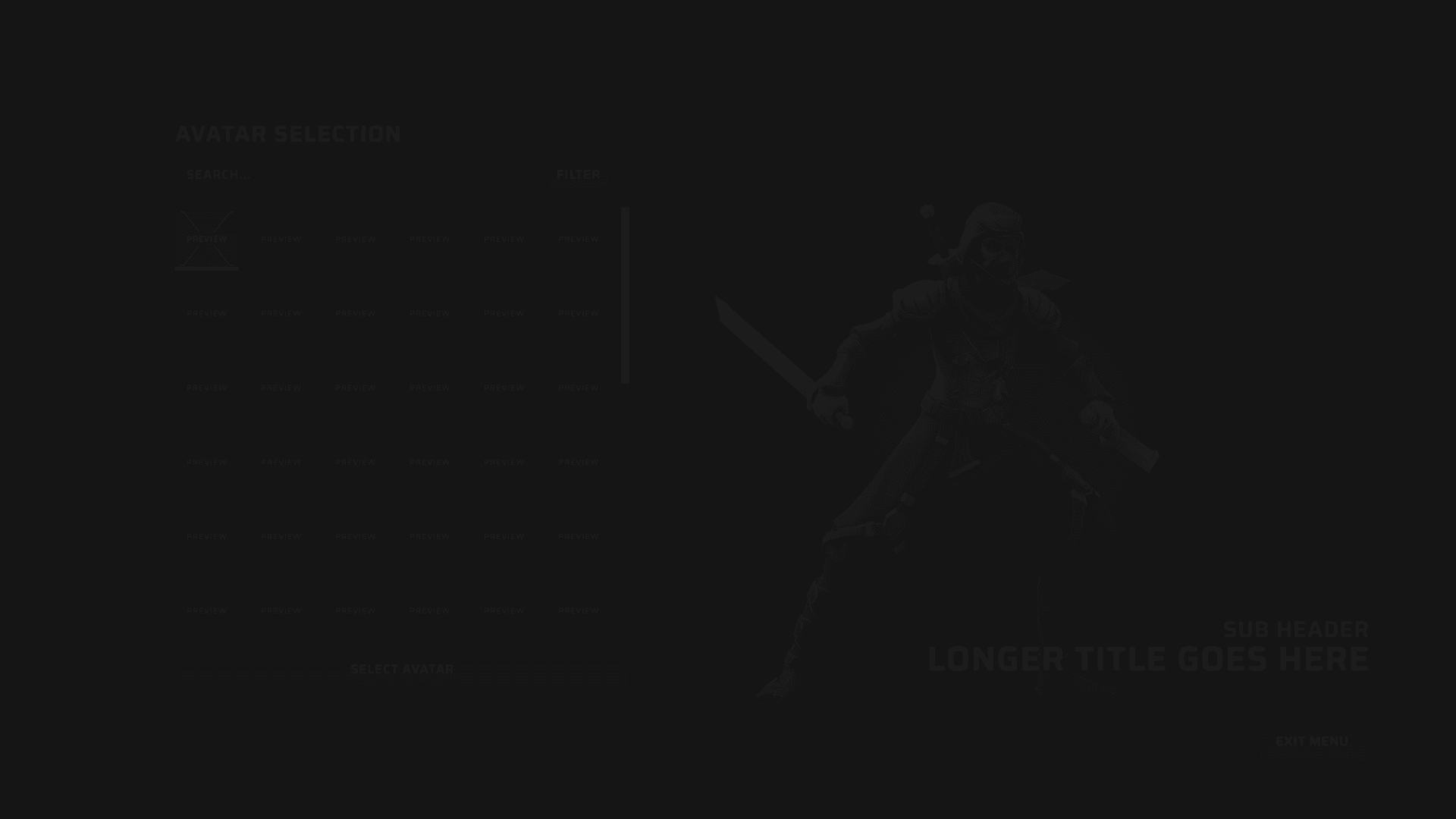
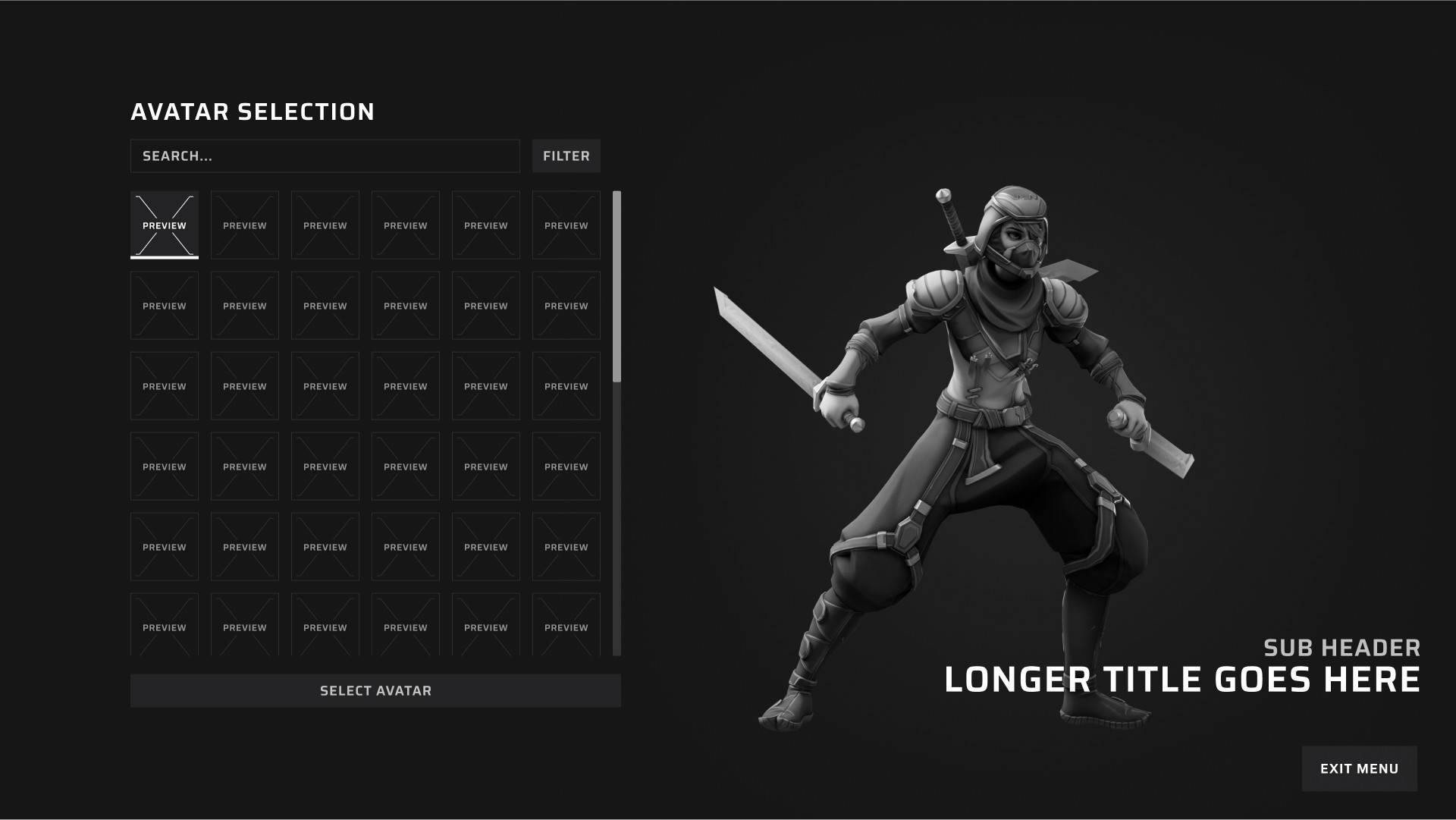
Avatar Selection

Players are able to browse through all of their available avatars and pick which one to play as.

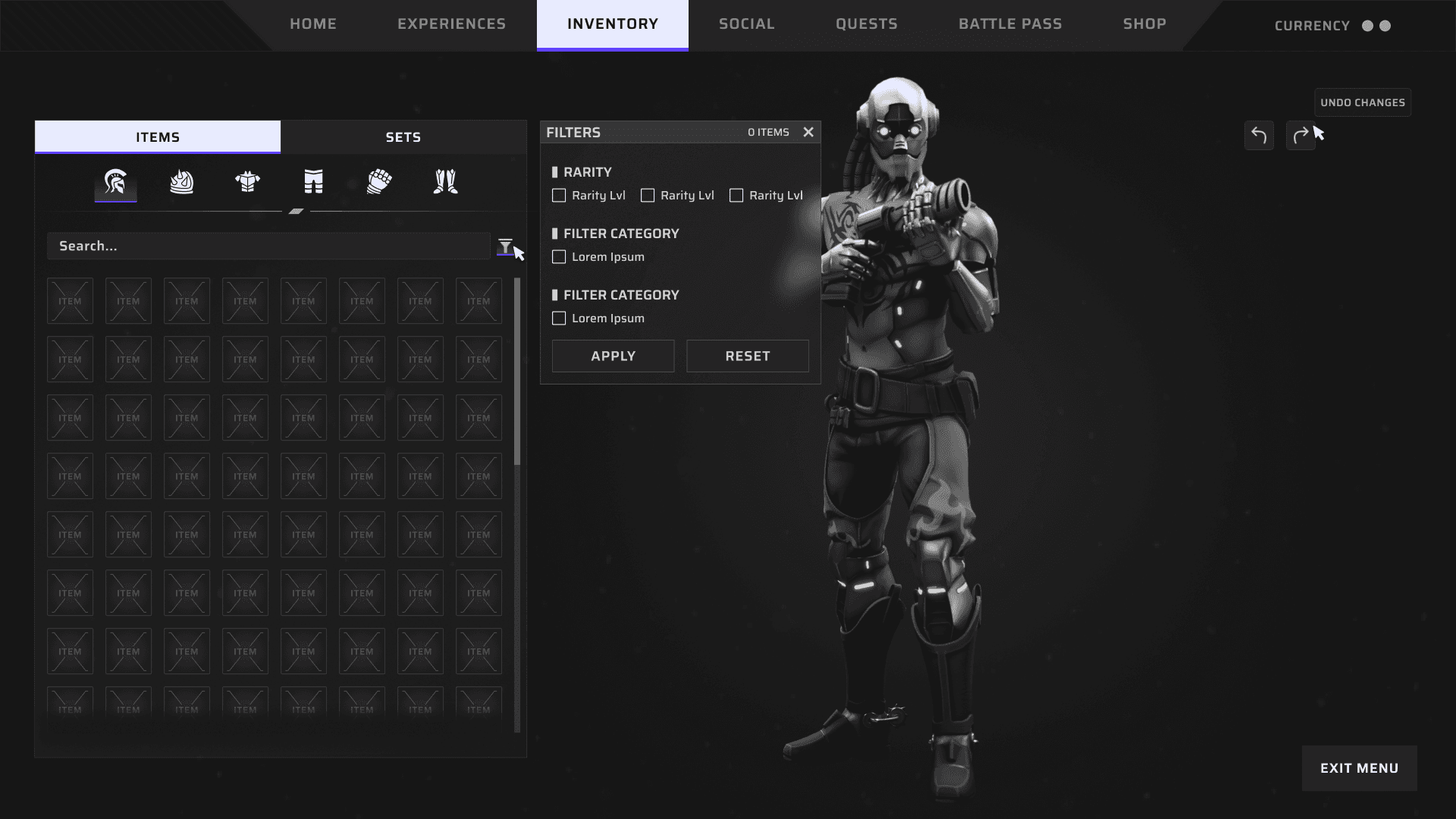
Inventory

Our players can browse through all of their gear and items that they own here.

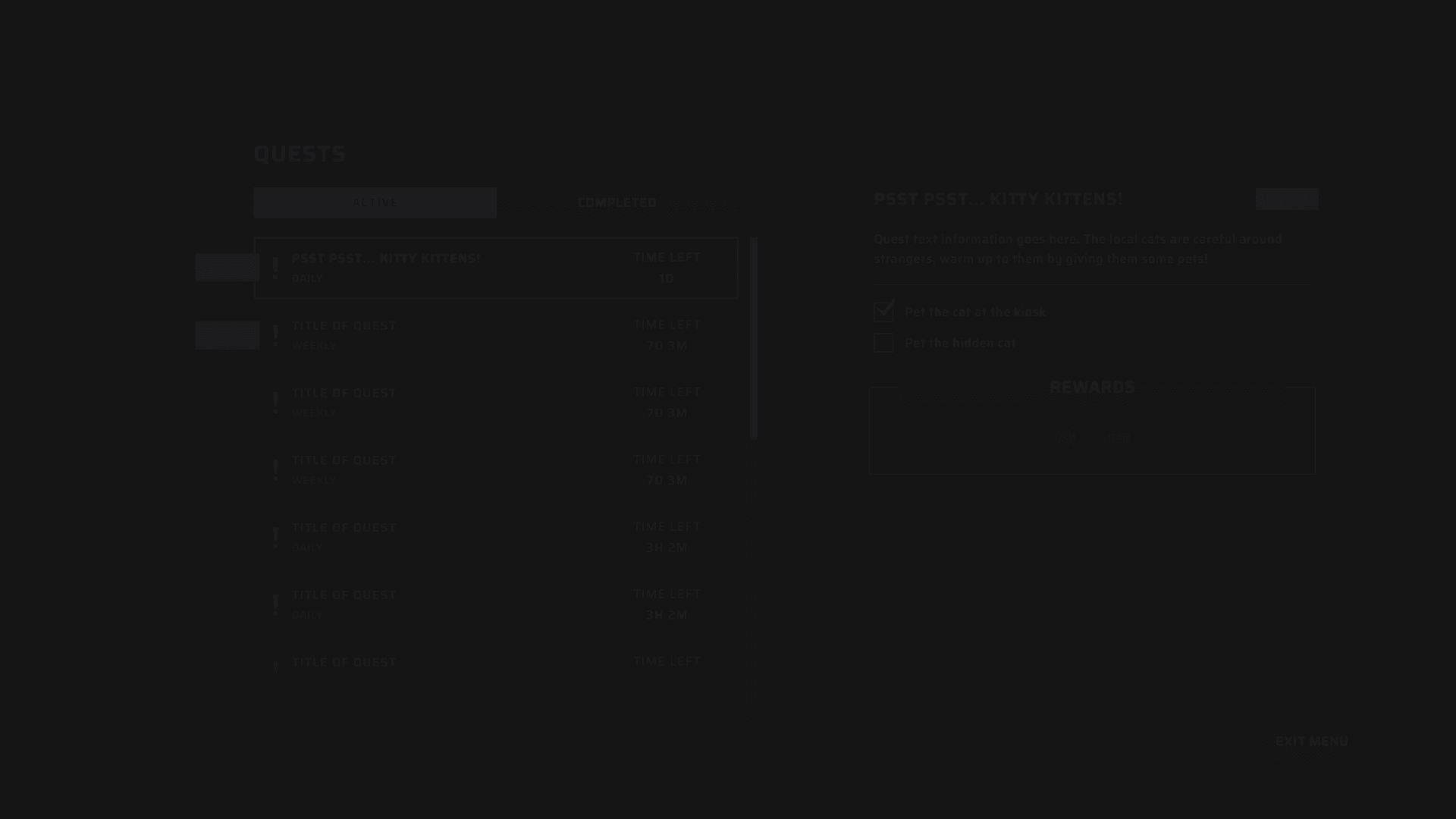
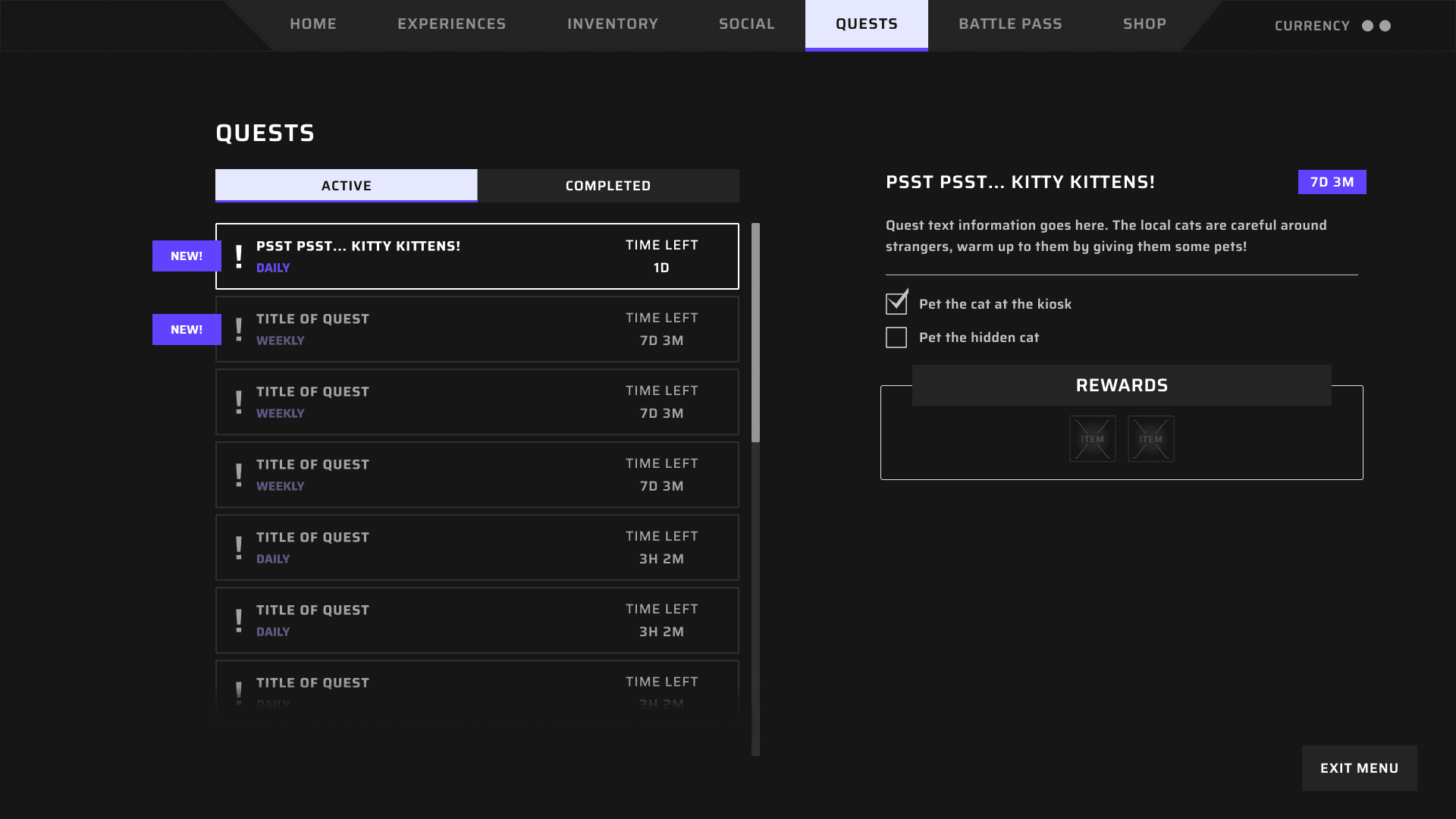
Quest Log

Players can browse through all available and completed quests, as well their rewards.

Launcher / Login

Where our players will boot up the game for the first time.

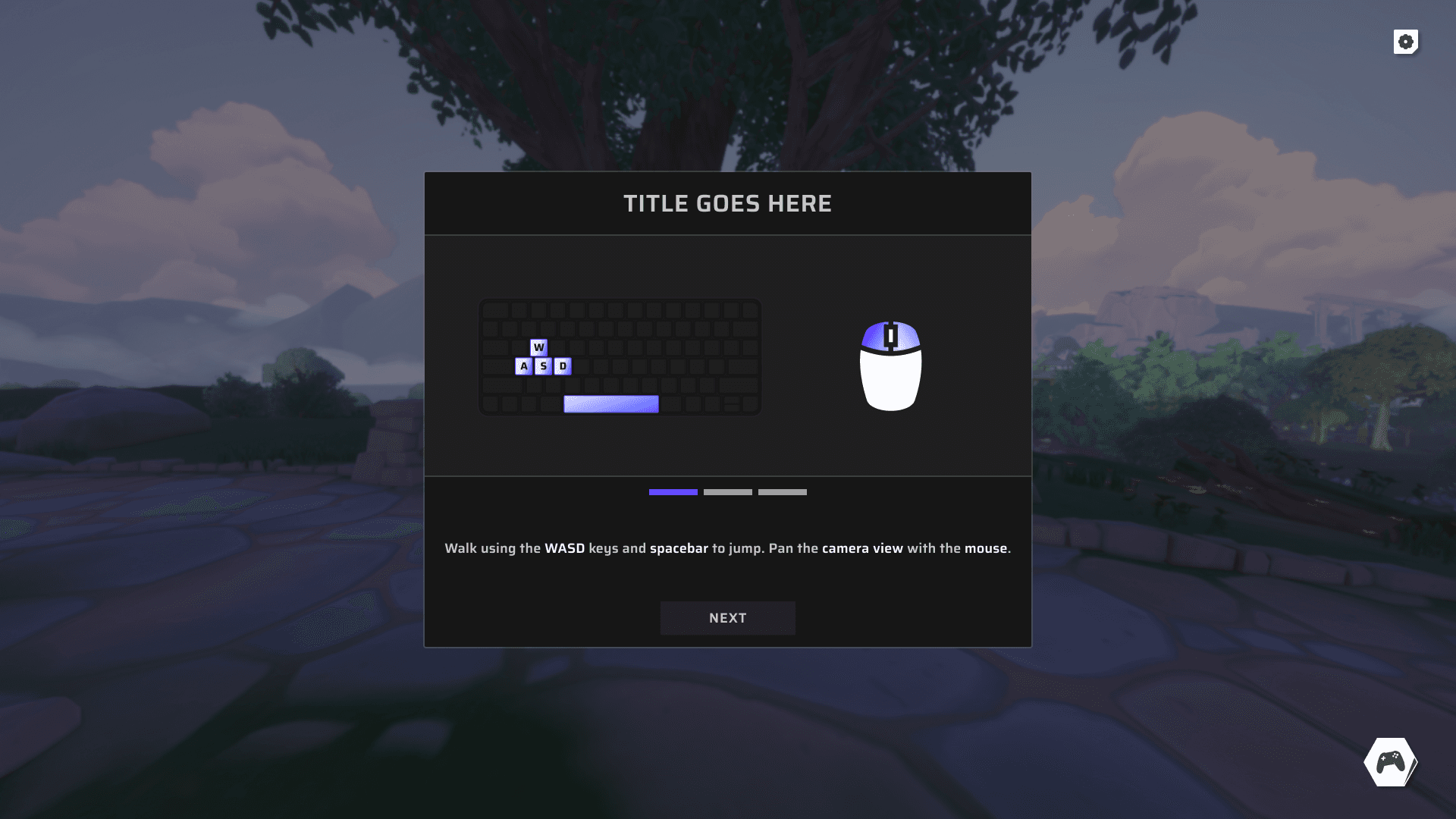
FTUE (Onboarding)

When our players start the game for the first time they are introduced with a simple onboarding.

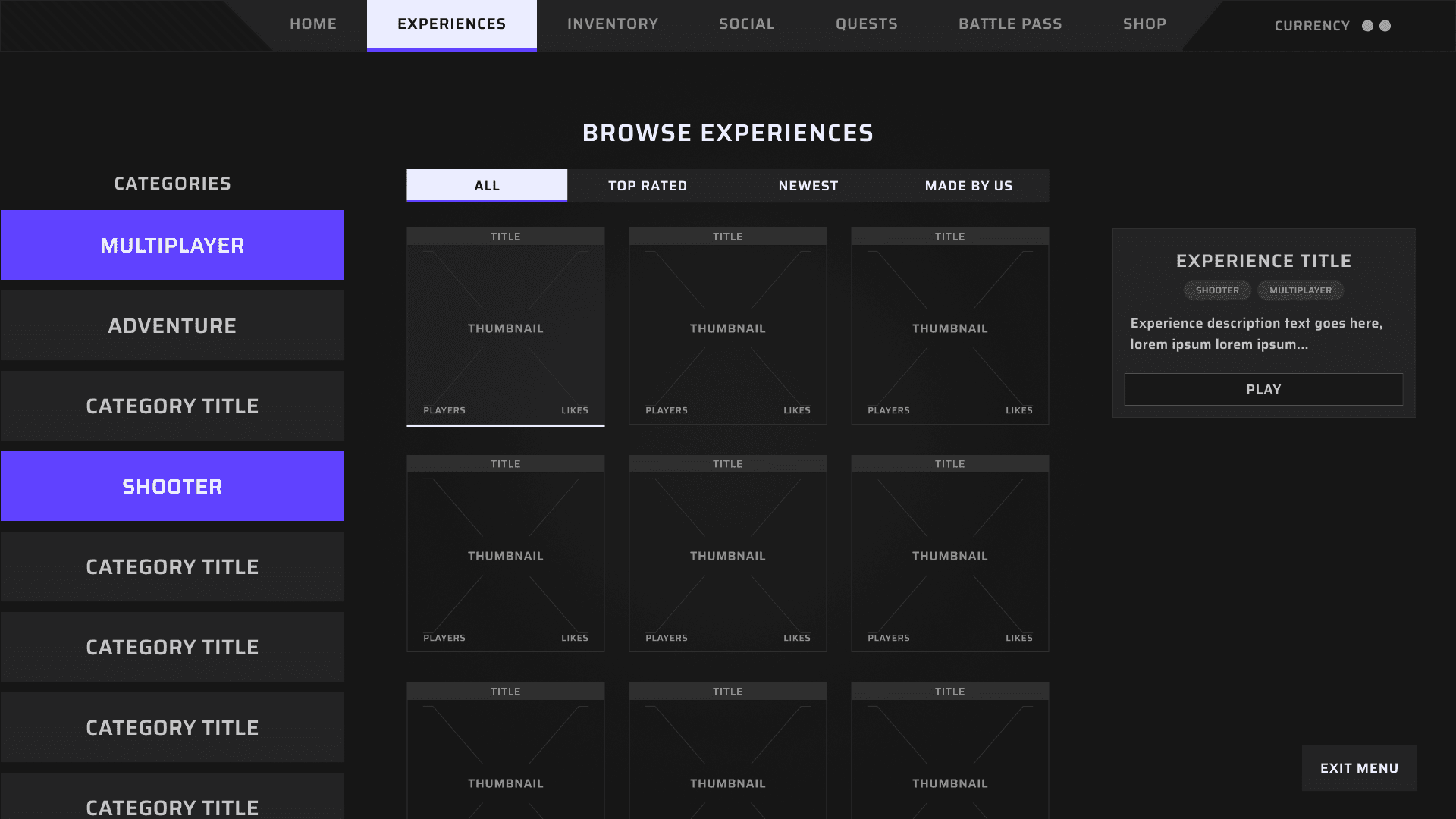
UI Menu System

This is our Interface System, a menu where we place different screens in one place. (Friends, Battle Pass, Experiences)

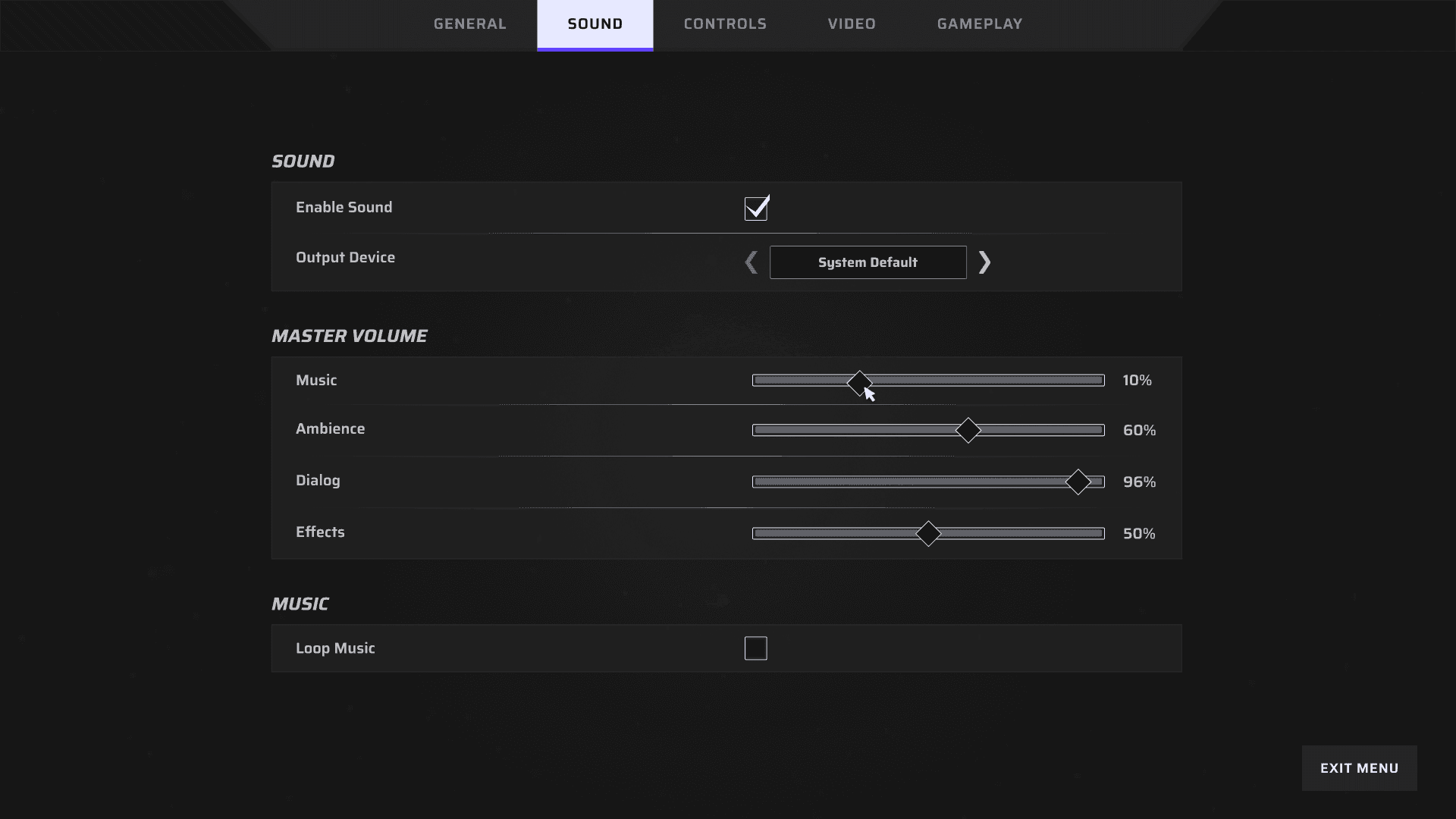
Setting Screen

Here our players can change their settings for audio, video etc.

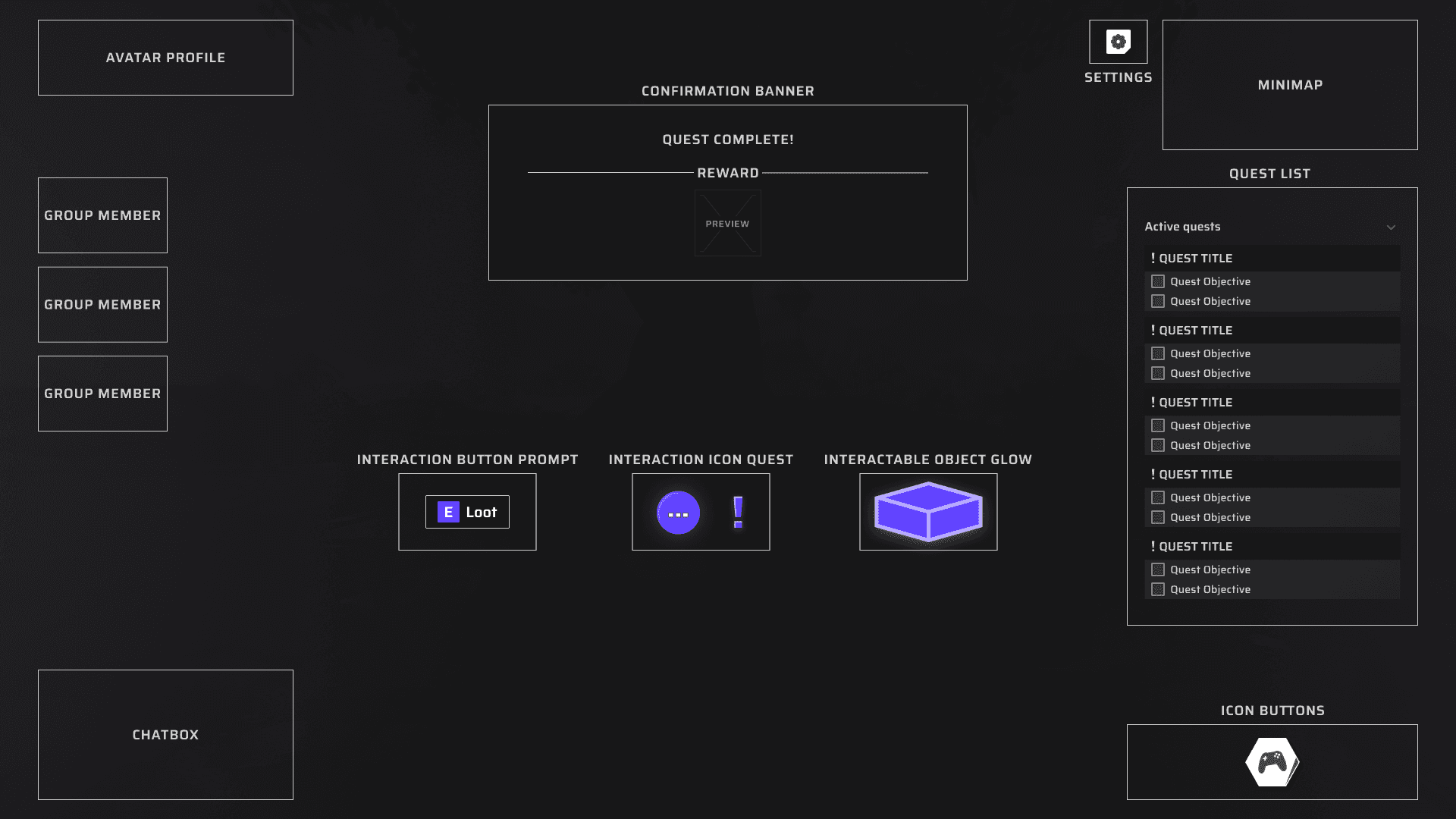
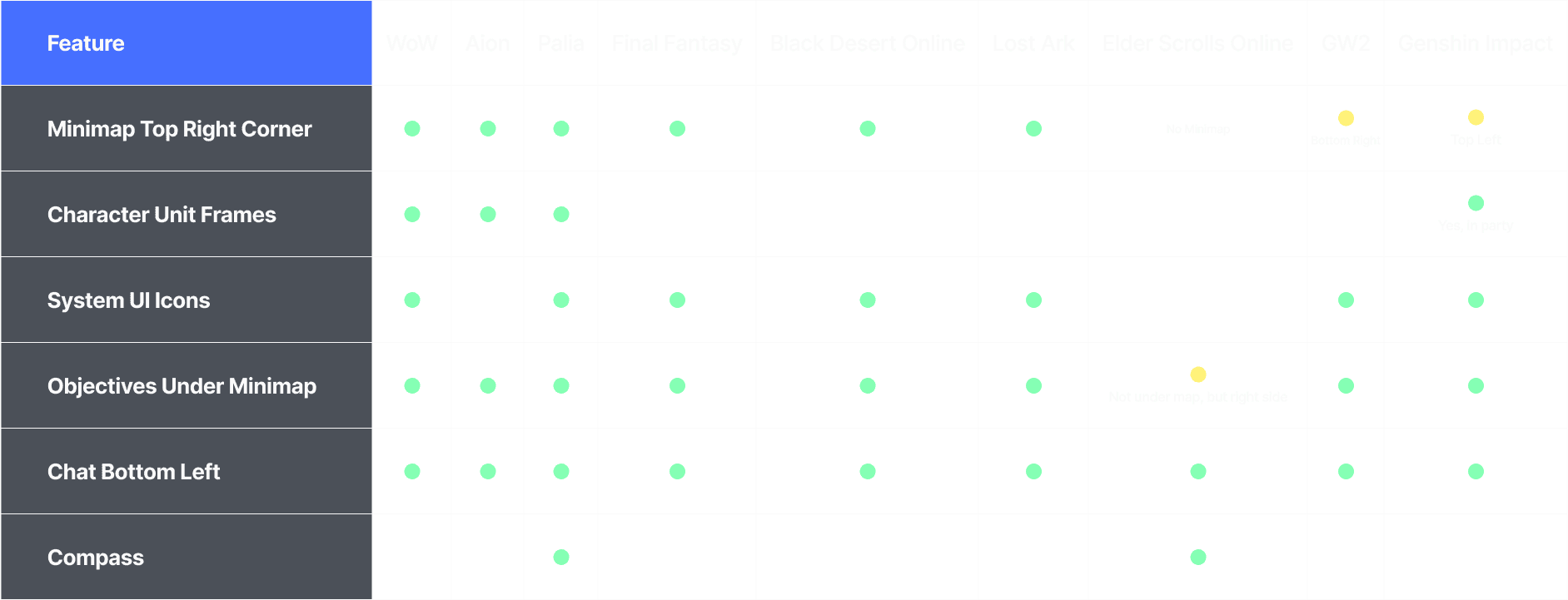
HUD

Setting up the layout for our HUD.

User Journey to find Pre-Owned

1

Click on Polestar 1 / 2 in the Menu

First Users must navigate to one of the car models.

2

Click on Pre-Owned

Once they have clicked on a Car Model, more menu options will show, pre-owned included.

3

All Available Pre-Owned in Stock

When users click on Pre-Owned, they are navigated to a page that shows all available Pre-Owned currently in stock.

4

Identified Pain Point

Click /Go Back Button/

There is a CTA Button here that takes you to the information page where users can learn more about the Pre-Owned concept, however its named as "Go Back".

5

Pre-Owned Information Page

Finally landing on the information page.

User Journey to find Pre-Owned

1

Click on Polestar 1 / 2 in the Menu

First Users must navigate to one of the car models.

2

Click on Pre-Owned

Once they have clicked on a Car Model, more menu options will show, pre-owned included.

3

All Available Pre-Owned in Stock

When users click on Pre-Owned, they are navigated to a page that shows all available Pre-Owned currently in stock.

4

Identified Pain Point

Click /Go Back Button/

There is a CTA Button here that takes you to the information page where users can learn more about the Pre-Owned concept, however its named as "Go Back".

5

Pre-Owned Information Page

Finally landing on the information page.

Impact

No Design System

Design System & Branding

Bad Handover To Developers

Clear & Improved Handover Process

Low UX Maturity

UX Processes Established Amongst The Team

A collection of various UX Flows

Taskflow
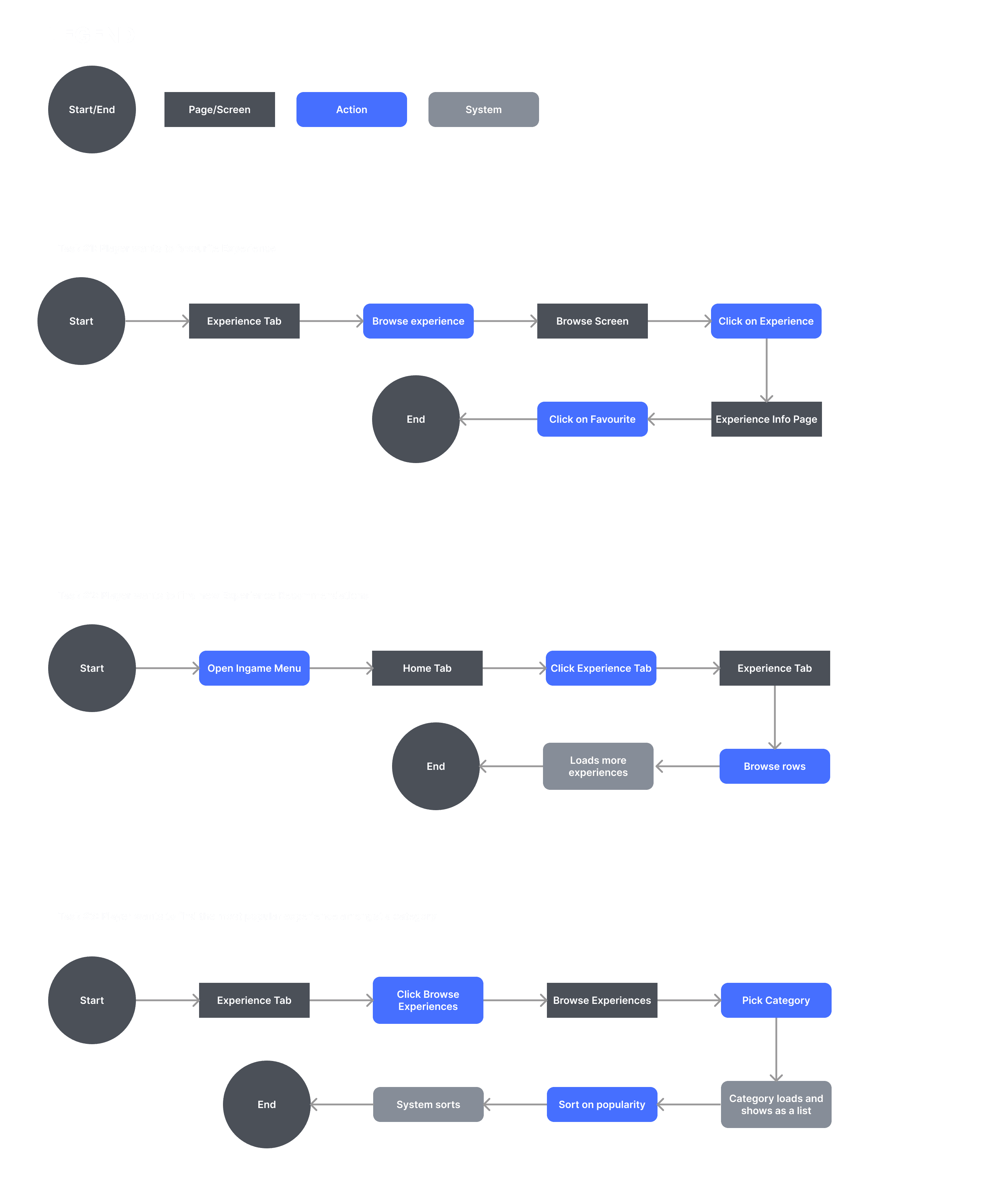
Beginning of Information Architecture
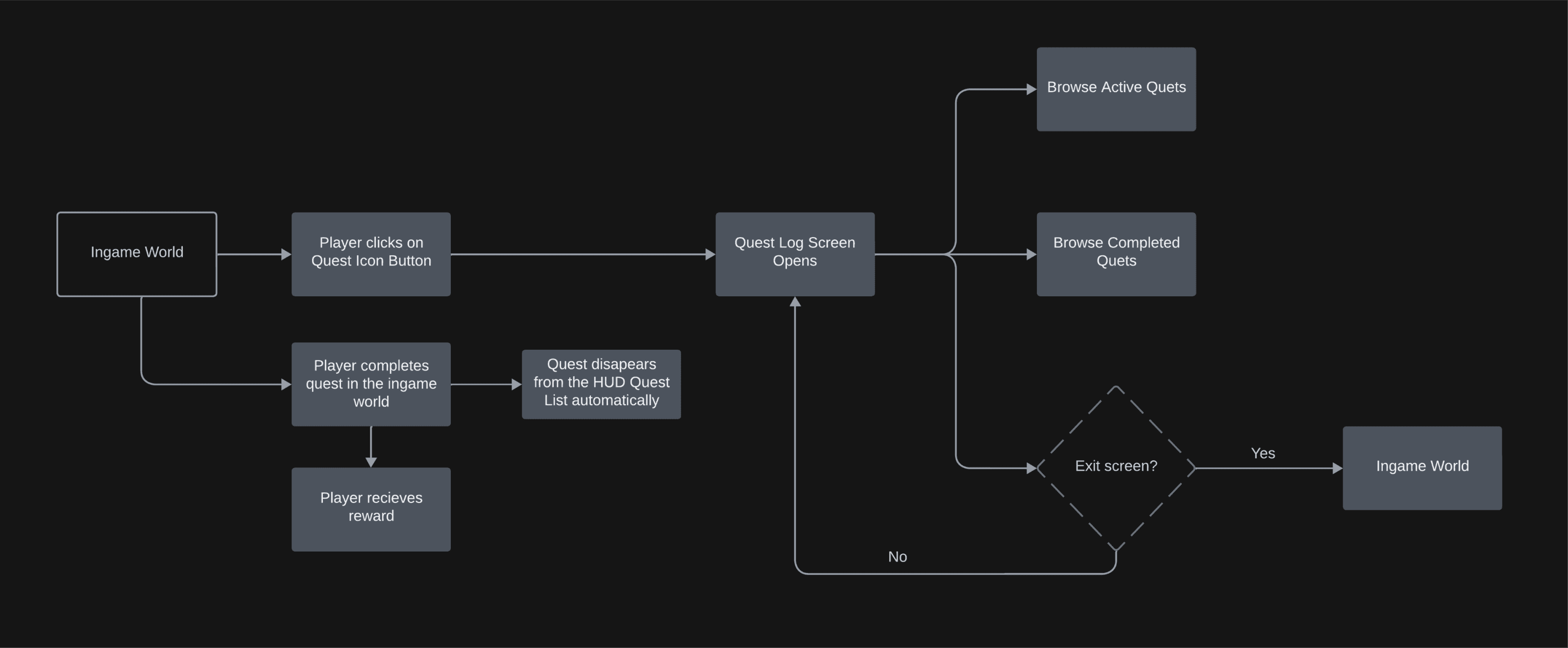
UserFlow